Welcome!
-
-
-
-
-
-
-
- LMS Home
- Core Concepts
- Companies and Departments
- Courses
- Course Status and Visibility
- Sections
- Video Activities
- Reading Activities
- Document Activities
- Enrolling People in a Course
- Bulk Enroll With CSV
- Roles in a Course
- How Progress Is Tracked
- Course Reports
- Knowledge Base Overview
- Libraries and Folders
- Uploading Content Items
- Library Visibility
- AI Agent per Library
- My Courses
- Platform People
-
-
-
-
- Project Structure Template
- Table of Contents (TOC)
- Content Folder
- Introduction to Markdown
- Markdown Basics
- Markdown Lists
- Markdown Links
- Markdown Images
- Markdown Code
- Markdown Tables
- Markdown Equations
- Markdown Videos
- Markdown Embedded HTML
- VS Code Snippets
- Introduction to Styles
- Custom Theme
- Framed Narrations
- Markdown Configuration
- Editor Setup
-
What Lupo is
TL;DR; Lupo turns the knowledge your team already has into a structured system that trains people and helps them execute — captured once, reused everywhere.
Lupo is the Knowledge-to-Execution Platform. The knowledge already exists in your organization — in documents, slides, recordings, and people's heads. Lupo turns it into a centralized knowledge base, structured enablement, and AI agents that help with execution based on that content — so your teams execute without depending on the one expert who knows how.
Knowledge existing and consistent execution happening are two different things. Teams end up depending on a handful of experts for day-to-day answers, execution varies by who trained whom, and content goes stale faster than anyone updates it. Lupo closes that gap.
The loop
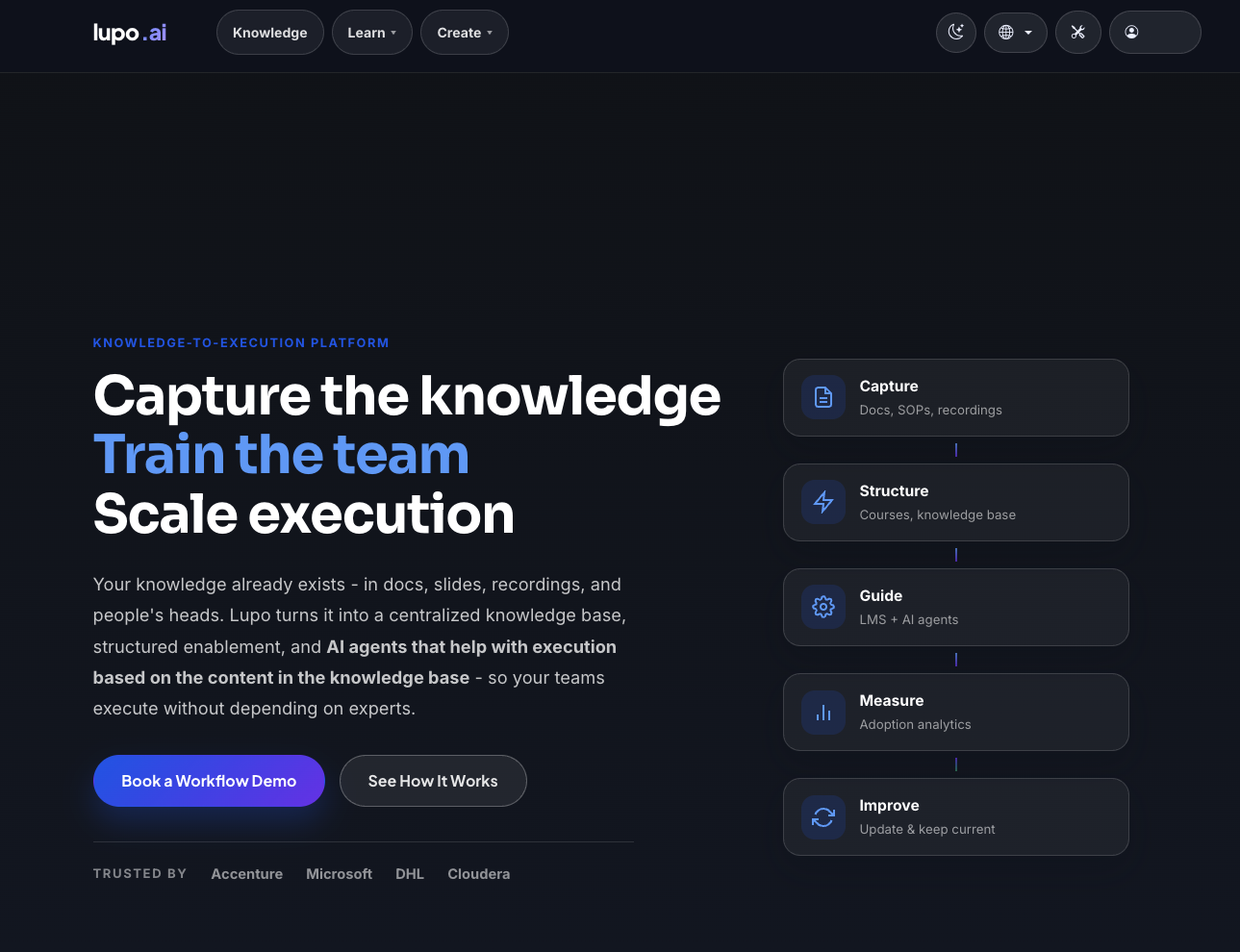
Lupo works as a five-step loop, not a one-time upload:
- Capture — docs, SOPs, recordings go in.
- Structure — that material becomes courses and a knowledge base.
- Guide — Learn and AI agents put it in front of people, on demand.
- Measure — adoption analytics show what's actually being used.
- Improve — the content gets updated and kept current, and the loop repeats.
The three planes
Everything in Lupo signed-in sits under three menus, and every later page in this documentation belongs to one of them:
- Knowledge — the knowledge base: libraries, folders, and the content inside them.
- Learn — the LMS: courses, delivery runs, enrolment, progress.
- Create — the authoring tools that turn source material (PowerPoint, Google Slides, PDF) into narrated video and other course content.
See The three planes for how they connect.
What Lupo is not
- Not a video generator. Create is one of three planes, not the whole product — the video tools exist to feed the knowledge base and courses, not as a standalone service.
- Not a generic chatbot. Ask Lupo only answers from what your organization has actually put into its own knowledge base and courses — it does not answer from the open internet or general knowledge.
Where to go next
- The three planes — the same three menus, told as a diagram.
- Concepts and glossary — every term this documentation uses, defined once.
- Who can do what — the roles and what each one can reach.
- Getting your account — sign up, sign in, and accept an invitation.