Welcome!
-
-
- Learn Home
- Core Concepts
- Companies and Departments
- Courses
- Course Status and Visibility
- Modules
- Video Activities
- Reading Activities
- Document Activities
- Enrolling People in a Course
- Bulk Enroll With CSV
- Roles in a Course
- How Progress Is Tracked
- Course Reports
- Knowledge Base Overview
- Libraries and Folders
- Uploading Content Items
- Library Visibility
- AI Agent per Library
- My Courses
- Platform People
-
- Project Structure Template
- Table of Contents (TOC)
- Content Folder
- Introduction to Markdown
- Markdown Basics
- Markdown Lists
- Markdown Links
- Markdown Images
- Markdown Code
- Markdown Tables
- Markdown Equations
- Markdown Videos
- Markdown Embedded HTML
- VS Code Snippets
- Introduction to Styles
- Framed Narrations
- Markdown Configuration
- Editor Setup
-
-
-
What Lupo Is
TL;DR; Lupo turns the knowledge your team already has into a structured system that trains people and helps them execute — captured once, reused everywhere.
Lupo is the Knowledge-to-Execution Platform. The knowledge already exists in your organization — in documents, slides, recordings, and people's heads. Lupo turns it into a centralized knowledge base, structured enablement, and AI agents that help with execution based on that content — so your teams execute without depending on the one expert who knows how.
Knowledge existing and consistent execution happening are two different things. Teams end up depending on a handful of experts for day-to-day answers, execution varies by who trained whom, and content goes stale faster than anyone updates it. Lupo closes that gap.
The loop
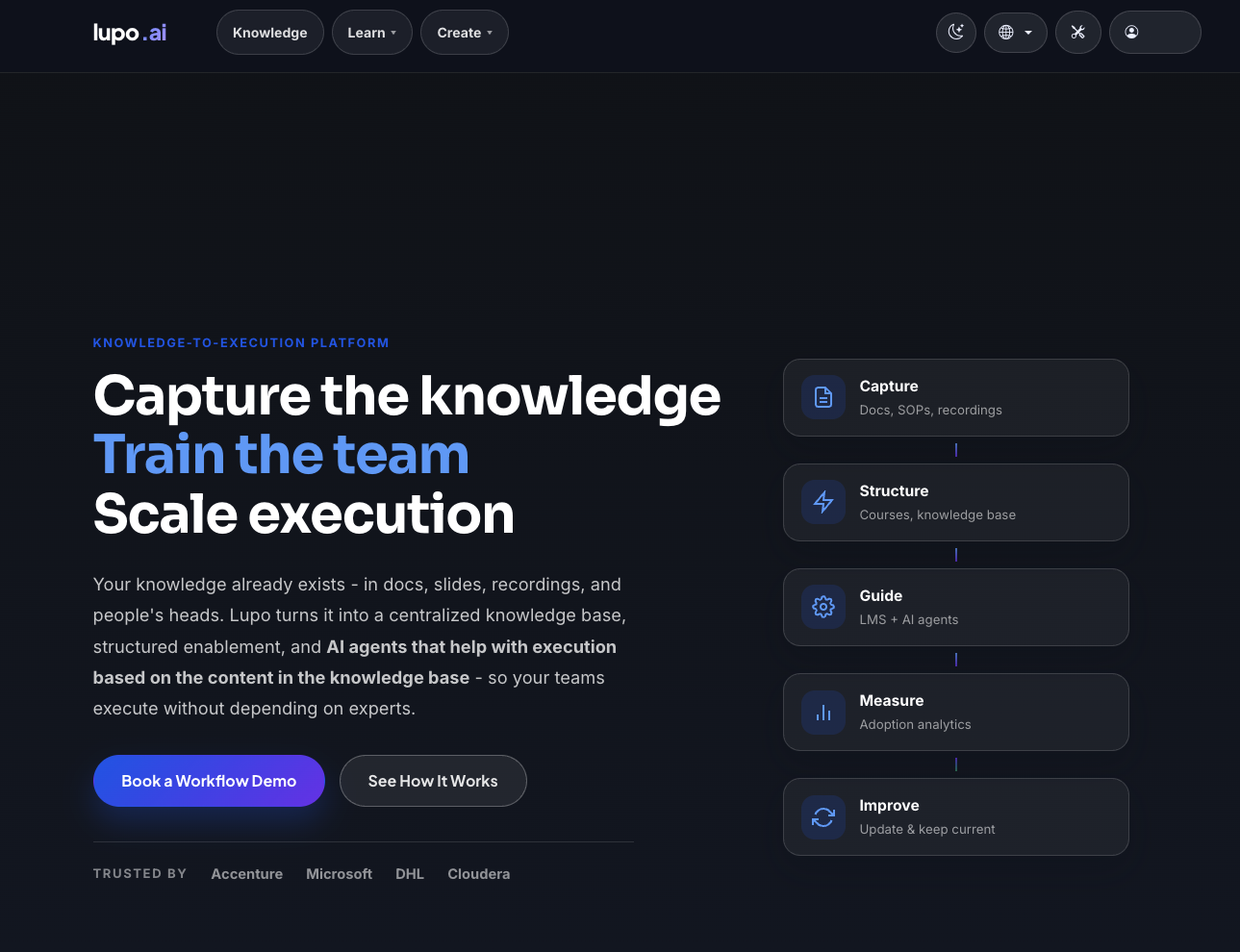
Lupo works as a five-step loop, not a one-time upload:
- Capture — docs, SOPs, recordings go in.
- Structure — that material becomes courses and a knowledge base.
- Guide — Learn and AI agents put it in front of people, on demand.
- Measure — adoption analytics show what's actually being used.
- Improve — the content gets updated and kept current, and the loop repeats.
The three planes
Signed-in Lupo has at most three top-level menus, and every later page in this documentation belongs to one of them:
- Knowledge — the knowledge base: libraries, folders, and the content inside them.
- Learn — the learning platform: courses, delivery runs, enrolment, progress.
- Create — the authoring tools that turn source material (PowerPoint, Google Slides, PDF) into narrated video and other course content.
Which of the three you actually see depends on your account and on where you sign in:
- Learn is always there.
- Knowledge appears once you hold a role in a company's Learn area (learner, instructor, or administrator). An account with no course role yet has no Knowledge menu.
- Create appears only on lupo.ai, and only for accounts with a creator plan. On a company's own branded Lupo site the menu is never shown — that site is for consuming your company's knowledge and courses. On lupo.ai, an account without a creator plan may see a What is Create? link in its place, or nothing at all.
So a learner on their company's branded site sees Learn, plus Knowledge if they hold a Learn role — two menus, not three.
See The three planes for how they connect.
What Lupo is not
- Not a video generator. Create is one of three planes, not the whole product — the video tools exist to feed the knowledge base and courses, not as a standalone service.
- Not a generic chatbot. Ask Lupo only answers from what your organization has actually put into its own knowledge base and courses — it does not answer from the open internet or general knowledge.
Where to go next
- The three planes — the same three menus, told as a diagram.
- Concepts and glossary — every term this documentation uses, defined once.
- Who can do what — the roles and what each one can reach.
- Getting your account — sign up, sign in, and accept an invitation.